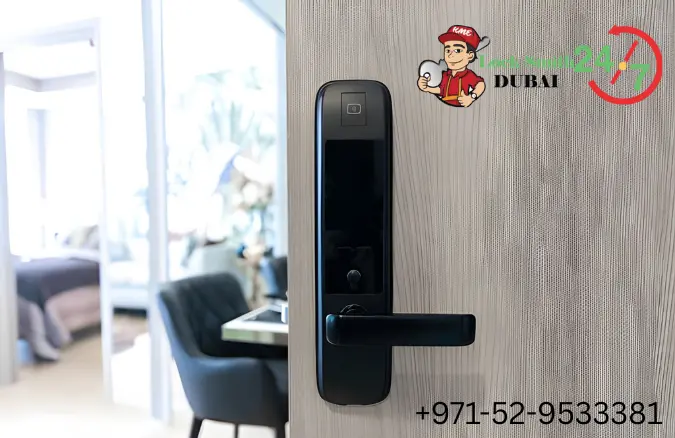
In today’s smart home era, convenience and security go hand in hand. Smart locks have transformed the way we protect our homes, eliminating the hassle of lost keys or forgotten locks. But when your smart lock’s battery dies, it can quickly turn convenience into frustration. For residents in Al-Barsha, being aware of what to do and who to call makes all the difference. Whether it’s a quick Smart Door Lock Installation or an urgent call to a 24 Hour Smart Door Lock Repairing Shop in Al-Barsha, professional locksmiths are always ready to help.
A dead battery doesn’t mean your smart lock is broken. It simply needs timely maintenance or replacement. By understanding how smart locks function, their power requirements, and emergency solutions, you can avoid unnecessary stress. Let’s explore everything you need to know when your smart lock’s battery gives up.
Understanding How Smart Door Locks Are Powered
Smart door locks are powered mainly by long-lasting alkaline or lithium batteries. These power every digital feature, including touchpads, fingerprint scanners, and wireless communication systems. When the battery drains, your lock loses its ability to respond, making timely monitoring essential. A Lock Repairing Shop in Al-Barsha can test your system and ensure all electronic functions are working correctly.
Most smart locks require four standard AA batteries, though some models use built-in rechargeable packs. Understanding your lock’s battery type helps you prepare for replacements before it completely dies. Regular service checks by local locksmiths in Al-Barsha can extend your lock’s life and prevent unexpected malfunctions.
How Long Does a Smart Lock Battery Usually Last?
Battery life depends on various factors such as brand, frequency of use, and temperature exposure. On average, a high-quality smart lock battery lasts between 6 to 12 months. Regular maintenance from professionals ensures consistent power performance throughout the year.
Extreme weather conditions in Al-Barsha can reduce battery efficiency. Locksmiths recommend inspecting battery levels quarterly, especially before long travel periods. A simple visit to a 24 Hour Smart Door Lock Repairing Shop in Al-Barsha can save you from being locked out at inconvenient times.
Early Warning Signs Your Smart Lock Battery Is Dying
Most smart locks will notify you when their battery is running low. You might see dim lights on the keypad, hear delayed unlocking sounds, or receive alerts via mobile app. Ignoring these early warnings can result in a complete lockout, leaving you stranded outside your home.
When these symptoms appear, contact a Lock Repairing Shop in Al-Barsha immediately. Professional locksmiths can replace the batteries safely and ensure the lock’s system is calibrated correctly. Acting early prevents electronic malfunctions that might require costlier repairs later.
Can You Still Unlock the Door When the Battery Dies?
Yes, most modern smart locks include emergency options to prevent total lockouts. Depending on your model, you may have a physical backup key, a 9V battery port, or even a power bank connection option. These built-in fail-safes ensure that security doesn’t compromise convenience.
However, if you’re unfamiliar with using these manual options, a professional locksmith can assist you on the spot. A 24 Hour Smart Door Lock Repairing Shop in Al-Barsha can provide immediate help, unlocking your door safely without damaging the system or voiding the warranty.
Backup Options: Mechanical Keys, Power Banks, and 9V Batteries
Having backup options can save you from emergency lockouts. The most common backups include:
- Mechanical keys for manual unlocking
- 9V emergency ports to provide temporary power
- External power banks that revive electronic access for a short time
- Battery replacement kits recommended by manufacturers
Each of these solutions ensures your smart lock stays functional in power-loss situations. Locksmiths offering Smart Door Lock Installation in Al-Barsha often recommend choosing models that include at least two emergency backup options for reliability.
What Happens Internally When Power Runs Out?
When your smart lock battery dies completely, its digital functions shut down, including Wi-Fi and keypad systems. However, your door remains securely locked. The internal mechanism doesn’t disengage, protecting your property even during power failure.
Once the power is restored, the lock’s memory usually retains saved codes or fingerprints. Still, it’s recommended to have the lock checked at a Lock Repairing Shop in Al-Barsha to ensure no settings were lost and all components are functioning properly.
How to Replace or Recharge Your Smart Lock Battery
Replacing the battery in most smart locks is straightforward and requires no specialized tools. You simply remove the lock’s back cover, replace the batteries, and secure it back. However, for high-end smart locks with sensitive electronics, professional service is advised to avoid circuit damage.
Local technicians from a 24 Hour Smart Door Lock Repairing Shop in Al-Barsha can replace your batteries while inspecting for loose wiring, corrosion, or firmware issues. This preventive service extends your smart lock’s lifespan and maintains top-level security.
Smart Lock Low Battery Notifications – How Reliable Are They?
Smart locks typically warn users weeks before the battery dies. However, these alerts depend on mobile connectivity and may not always appear if your Wi-Fi drops. It’s wise to manually check battery status once every few weeks to stay ahead.
If you notice unreliable notifications, visit a Lock Repairing Shop in Al-Barsha for system diagnostics. They can recalibrate your device, ensuring low-battery alerts function properly across all connected devices.
Tips to Prevent Getting Locked Out Unexpectedly
A few simple steps can save you from an unexpected lockout:
- Replace batteries every 6–8 months regardless of alerts
- Keep a mechanical backup key in a secure location
- Enable push notifications on your smart lock app
- Avoid cheap or mixed-brand batteries that drain faster
Following these habits ensures your smart lock works seamlessly. Locksmiths in Al-Barsha offering Smart Door Lock Installation emphasize preventive care as the best form of security.
Does Cold or Hot Weather Affect Smart Lock Battery Life?
Yes, extreme weather can affect battery efficiency. High summer temperatures in Al-Barsha cause faster drainage, while cold weather can reduce voltage output. Using premium-quality lithium batteries ensures steady performance throughout the year.
Professional locksmiths recommend storing spare batteries indoors and checking your lock after sandstorms or humidity changes. Visiting a Lock Repairing Shop in Al-Barsha once every few months can help maintain optimal smart lock performance.
Best Smart Locks with Emergency Power Support in 2025
In 2025, the best smart locks for home and office use include:
- Samsung Smart Door Lock Series – Reliable, durable, and stylish
- Yale Keyless Connected Smart Lock – Offers emergency power options
- August Wi-Fi Smart Lock – Easy app control and strong backup support
- Philips EasyKey 7300 – Fingerprint and 9V power backup support
For professional installation, always hire a Smart Door Lock Installation expert in Al-Barsha who understands the wiring and programming of these modern systems. Proper setup ensures full functionality and longer device life.
Final Thoughts: Keeping Your Smart Lock Always Ready
A dead battery can be a minor inconvenience or a major headache depending on how prepared you are. By scheduling regular maintenance and knowing emergency options, you can avoid the stress of being locked out.
If you’re in Al-Barsha, trust the professionals who specialize in smart security solutions. From installation to emergency unlocking, 24 Hour Smart Door Lock Repairing Shop in Al-Barsha technicians are just a call away.
Call Now +971-52-9533381 for expert locksmith assistance anytime you need it.